VolunteerHub vs SignUpGenius vs Zelos: which volunteer management tool fits your charity
A hands-on comparison of VolunteerHub and SignUpGenius for volunteer management, plus Zelos for ongoing teams that need conversation with volunteers inside the tool.

Feature comparison
| Feature | VolunteerHub | SignUpGenius | Zelos |
|---|---|---|---|
| Free plan | No | Yes | Yes |
| Volunteer cap | Tiered | Unlimited | Unlimited |
| Mobile app | Volunteers | Mobile web | Yes |
| Custom fields | Yes | No | Yes |
| Kiosk check-in | Yes | No | No |
| Background checks | Yes | No | No |
| CRM | Yes | Yes | No |
| Chat | No | No | Yes |
| Hours | Yes | Yes | Yes |
| Planned vs actual | No | No | Yes |
| Ads | No | Yes | No |
| Setup fee | Yes | No | No |
| GDPR | — | — | Yes |
| Gamification | Yes | No | Yes |
| Paid from | US$143/mo | US$8.99/mo | £79/mo |
| Best for | Large programmes | One-off events | Ongoing teams |
How signups and messaging work in Zelos Team Management
Zelos Team Management is a signup board with a thread on each shift. Members join a private workspace by invite or a public join link, browse open shifts, and claim what fits. The chat on a shift is only for the people signed up and the admins. Messages arrive as push notifications on the phone. Members cannot message each other in private.
Signups and messaging are on the free plan, with unlimited members, 25 concurrent active tasks, and a 10,000-message cap. Pro (£79/month billed annually) removes the caps. There is no per-volunteer fee.
Zelos does not include kiosk check-in, a background-check integration, or a CRM sync. It is not a full volunteer-management platform.
Tasks and shifts · Messaging · Pricing · Help: Tasks and shifts, Live messaging
A comparison review by Anjal Gul
If you’re choosing between VolunteerHub and SignUpGenius, you’re probably arriving from one of two directions: you’ve been running on SignUpGenius and starting to outgrow it, or you’re researching VolunteerHub specifically and want to know how it stacks up against the dominant signup tool in the category. Both are common, and both reach the same fork in the road. Prices checked October 2026 and shown in the currency each vendor publishes.
These two tools were built for very different jobs. VolunteerHub is a full enterprise platform with CRM integrations, background checks, and kiosk check-in. SignUpGenius is a lightweight signup sheet you can spin up in minutes. So which one wins?
That depends on the scale of your programme. This article puts both side-by-side on the details that matter, then covers Zelos Team Management: a signup board with chat built in, for ongoing teams that need conversation with volunteers inside the tool. By the end you’ll know which one suits your situation, including the cases where none of them are quite right. People choose the work on Zelos; software doesn’t assign it.
Quick verdict
- Choose VolunteerHub if you’re managing a large volunteer programme (especially in the United States) and need CRM integrations, background-check integrations, kiosk check-in, and dedicated support. It’s built for organisations handling thousands of volunteers a year and budgeted for enterprise software. Pricing is published in US dollars.
- Choose SignUpGenius if you need a straightforward signup tool for one-off events. It works well for schools, churches, community groups, and charities that open signups to the wider public. If your needs are simple and occasional, it gets the job done.
- Choose Zelos if you’re coordinating an ongoing team that’s outgrown SignUpGenius but doesn’t need (or can’t justify) VolunteerHub’s enterprise pricing. Recurring shifts, the same people coming back, conversations that need to stay organised. Workspaces are invite-only, so there are no ads and your team isn’t listed on a public recruitment page.
VolunteerHub vs SignUpGenius: how they actually differ
Here’s the honest head-to-head. These two tools are in the same category on paper, but the differences are bigger than they look.
Scope of the product. SignUpGenius is a signup sheet. You build a form, share a link, and volunteers pick a slot. That’s most of what it does. VolunteerHub is a full management platform: signup is one part, but you also get volunteer profiles, kiosk check-in, background check integration, custom landing pages, CRM sync (Raiser’s Edge, Blackbaud, eTapestry), and detailed reporting. If you only need a signup form, SignUpGenius is much faster. If you need the whole workflow from recruitment to reporting, VolunteerHub covers more ground.
Pricing model. SignUpGenius is self-serve and starts free. Paid tiers start at US$8.99/month billed annually. You can sign up and have your first form live in ten minutes. VolunteerHub doesn’t offer a free tier or a public trial. You request a demo, do a discovery call, then get personalised pricing. The vendor’s own pricing page publishes Plus from US$143/month billed annually plus a setup fee, Pro from US$288/month billed annually plus a setup fee, and Enterprise as contact-for-pricing. That’s not a hidden cost, it’s the model: VolunteerHub is sales-led enterprise software, SignUpGenius is self-serve consumer software.
Volunteer volume. SignUpGenius doesn’t cap volunteers (you can have 50 or 50,000 on the free plan). VolunteerHub charges by volunteer volume. For organisations with thousands of volunteers, VolunteerHub’s structure can actually be more predictable. For small programmes, SignUpGenius’s flat pricing is cheaper. Volume caps are tiered; treat the vendor’s sales conversation as the source for the current volunteer-count bands.
Reporting depth. SignUpGenius reporting covers signup lists and basic tracking. VolunteerHub has comprehensive standard reports on hours, retention, demographics, and engagement. Neither offers true custom report builders, but VolunteerHub’s standard library is much deeper.
Conversation with volunteers. Neither tool has one. SignUpGenius is email-only; VolunteerHub sends email and SMS broadcasts but has no threaded in-app messaging, so replies arrive in your normal inbox. Anything beyond a reminder moves to WhatsApp or a group text. This is the gap Zelos was built for: every task carries its own chat channel with the people signed up to it, plus admins, and push notifications instead of email.
VolunteerHub review
VolunteerHub is a cloud-based platform that handles volunteer management end-to-end. It’s been around since 1996 and is one of the most established names in the US charity space. Unlike most tools in this category, it doesn’t offer a free plan or a free trial. You’ll go through a discovery call before seeing a demo, which can feel like a commitment upfront, though the personalised onboarding does mean you get a setup tailored to your organisation.
Getting started
Setup follows a structured path: request a demo, do a discovery call, get a personalised demo, then move into implementation and training. A dedicated team member walks you through your programme’s needs, budget, and expectations. Once you sign on, you get one-on-one support to help your team get up and running.
Where SignUpGenius takes ten minutes, VolunteerHub takes a few weeks. In return, you start with a configured system instead of a blank form.
Inviting volunteers
Volunteers create an account, browse opportunities in calendar or list view, and sign up directly. If an event is full, they can join a waitlist and get an email when a spot opens.
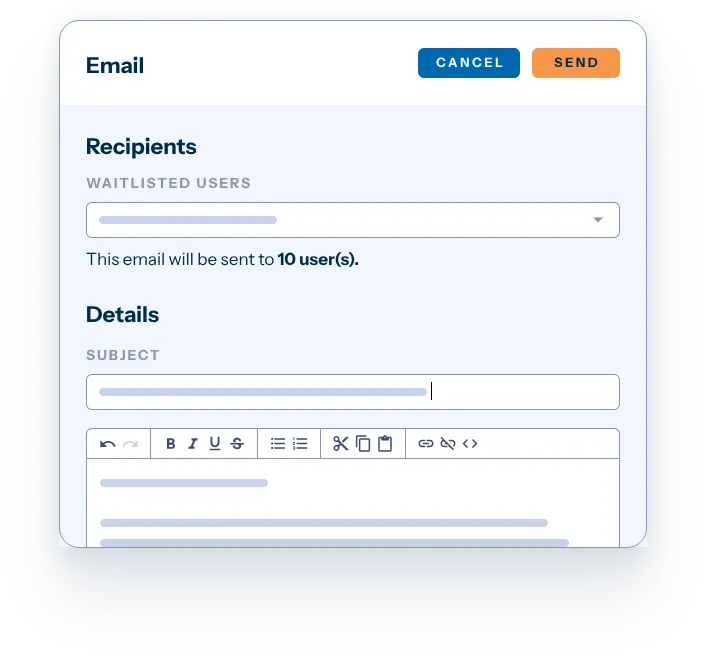
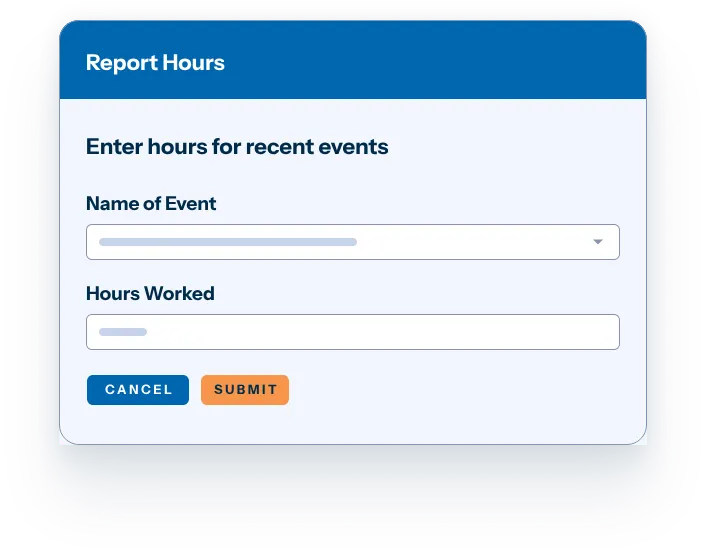
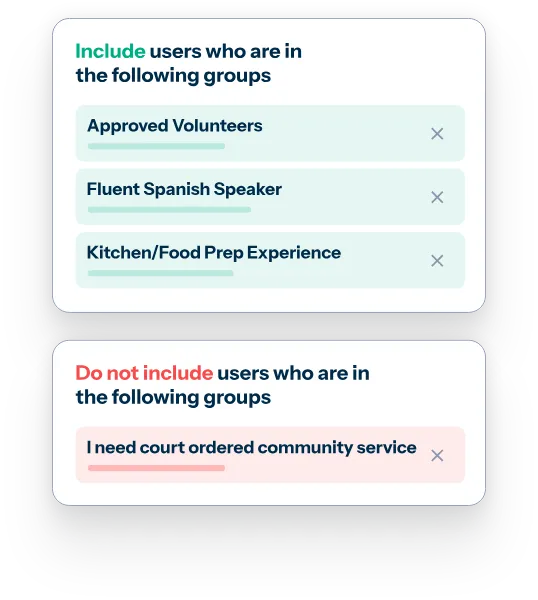
You can segment volunteers by skills or availability, which helps match the right people to the right tasks. Volunteers can log their own hours for remote or flexible work that isn’t tied to a specific time or place. Custom signup pages can be branded with your logo and embedded into your website, and join codes let you make certain events invite-only.
Managing signups
VolunteerHub handles confirmation emails, updates, and reminders automatically. You can also send mass emails or SMS to your entire database, which is useful for last-minute opportunities.
Coordinators can group volunteers during registration (flagging those who need an orientation or a background check) which makes filtering large groups easier. The Intelligent Deduplication tool automatically identifies and removes duplicate records, keeping your database clean. Volunteers can check in using a kiosk, tablet, or smartphone, with contactless QR codes and manual tracking both supported. On the vendor pricing page, OnSite and virtual kiosk are optional on Plus and included on Pro and Enterprise.
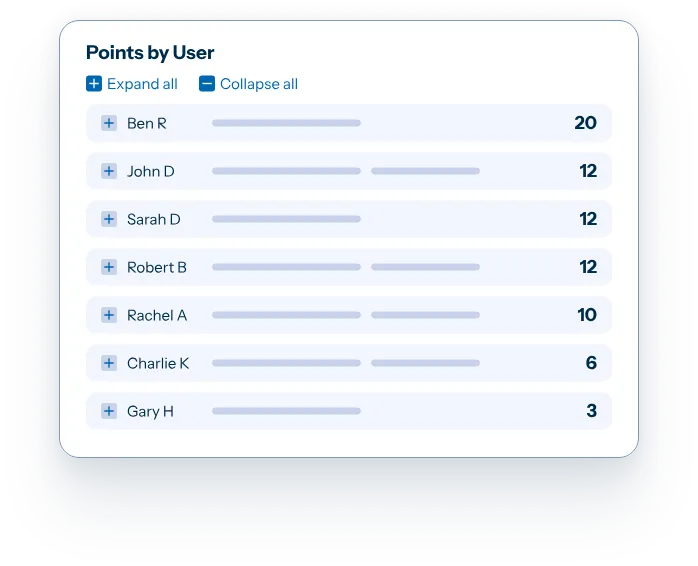
VolunteerHub also includes a points-and-rewards system for ongoing volunteer engagement. Volunteers earn points for completing opportunities and can redeem them for rewards you define, with leaderboards adding friendly competition. The feature set is closely similar to Zelos’s gamification; both platforms treat engagement as a built-in concern, while SignUpGenius doesn’t include comparable tooling.
Communication
Email and SMS are the main channels, both included in every tier (volume limits scale by plan). Volunteers get personalised thank-you messages after events, and automated reminders help reduce no-shows. Admins can track no-show patterns over time to spot recurring issues.
There’s no in-app messaging channel for back-and-forth conversation; communication is mostly one-direction broadcasts and reminders rather than threaded discussion.
What I like about VolunteerHub
- Calendar and list views make it straightforward for volunteers to find and sign up for shifts.
- Mass communication to your entire volunteer database in one click is useful for last-minute needs.
- CRM integrations with Raiser’s Edge, Blackbaud, eTapestry, and similar platforms keep volunteer and donor data aligned.
- Kiosk check-in is a real differentiator for in-person events and ongoing facility-based programmes.
What I don’t like about VolunteerHub
- No free plan or trial. You can’t explore at your own pace; every evaluation starts with a sales call.
- No custom report builder. Standard reports cover a lot, but organisations with specific reporting needs export and build elsewhere.
- The mobile app is for volunteers. It shows that day’s schedule and check-in on iOS and Android. Admins still use the website, and check-in in the app needs the Kiosk module.
- Tiered pricing by volunteer count can escalate quickly as programmes grow.
- No threaded conversation. Email and SMS go out as broadcasts; replies land in your normal inbox. Anything beyond a reminder — a briefing, a parking question, a last-minute swap — happens in WhatsApp or a group text instead.
VolunteerHub pricing
VolunteerHub offers three plans based on the size of your volunteer base. Plus starts at US$143/month billed annually plus a setup fee. Pro starts at US$288/month billed annually plus a setup fee. Enterprise pricing is on request. Figures from the vendor’s own pricing page, checked October 2026, published in US dollars. Volume caps are tiered; treat the vendor’s sales conversation as the source for the current volunteer-count bands.
There’s no free tier and no public trial. You’ll need a discovery call before seeing the platform in action, and pricing is confirmed during that conversation.
See our full VolunteerHub vs Zelos comparison.
SignUpGenius review
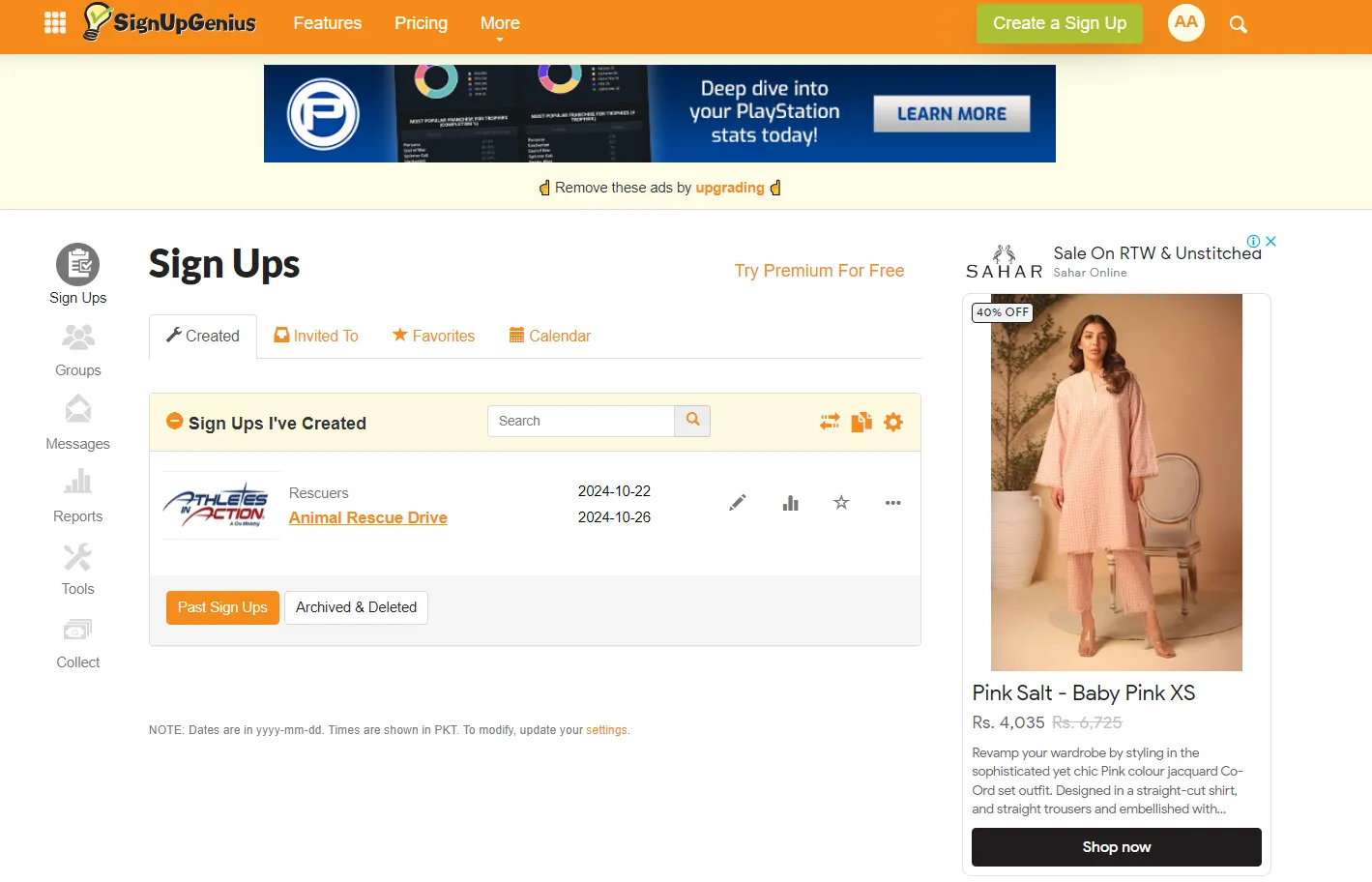
SignUpGenius is the granddaddy of online signup sheets. It’s been around since 2006 and most people in the charity world have used it at least once. Its strength is volume and simplicity: you can spin up a signup in minutes, share a link, and start collecting commitments without anyone needing to install anything.
Getting started
Account creation is fast. You land in a familiar form-builder interface and pick one of four scheduling formats (date-based, slot-based, slots-only, or single-date RSVP). Fill in the details, pick a theme from the design library, and publish.
The whole setup feels closer to building a Google Form than configuring software. That’s by design, and it’s what keeps SignUpGenius approachable for someone who only runs a signup twice a year.
Inviting volunteers
You share a link. That’s the main mechanism. Email it, post it on social media, embed it on your website. On paid plans you can also build a Group page (a hub with multiple signups under your branding).
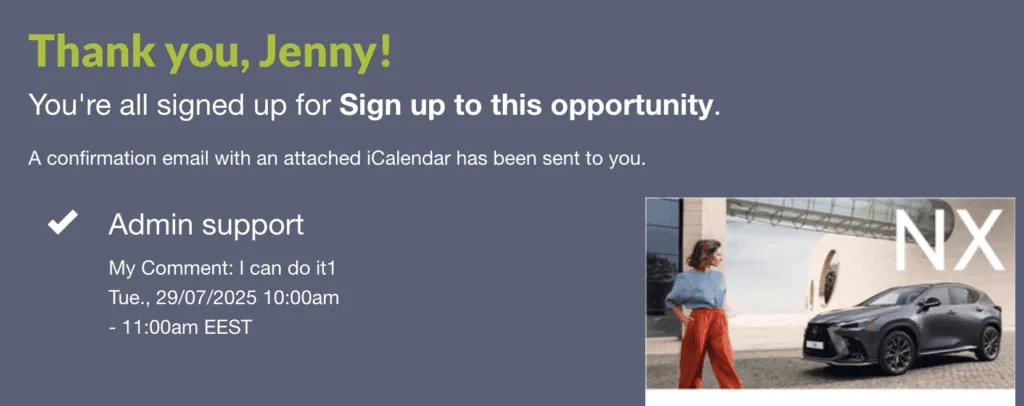
Volunteers click through, pick a slot, fill in their details, and that’s it. No account required to sign up, which removes one of the most common reasons people abandon a registration.
Managing signups
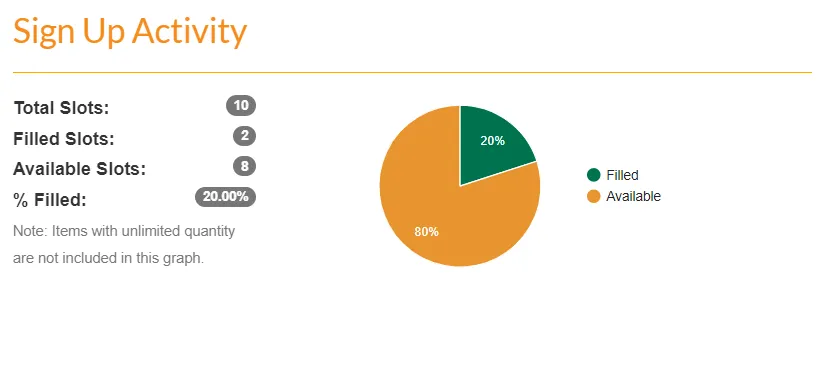
The dashboard shows real-time slot availability. You can send reminder emails, send thank-you notes, and run basic reports on who signed up for what. Higher paid plans add waitlists, signup locking, custom branding, and recurring signups.
The reporting is set up for basic accounting. It doesn’t include engagement patterns or volunteer history across multiple events, so for cross-event analysis you’d export to a spreadsheet.
Communication
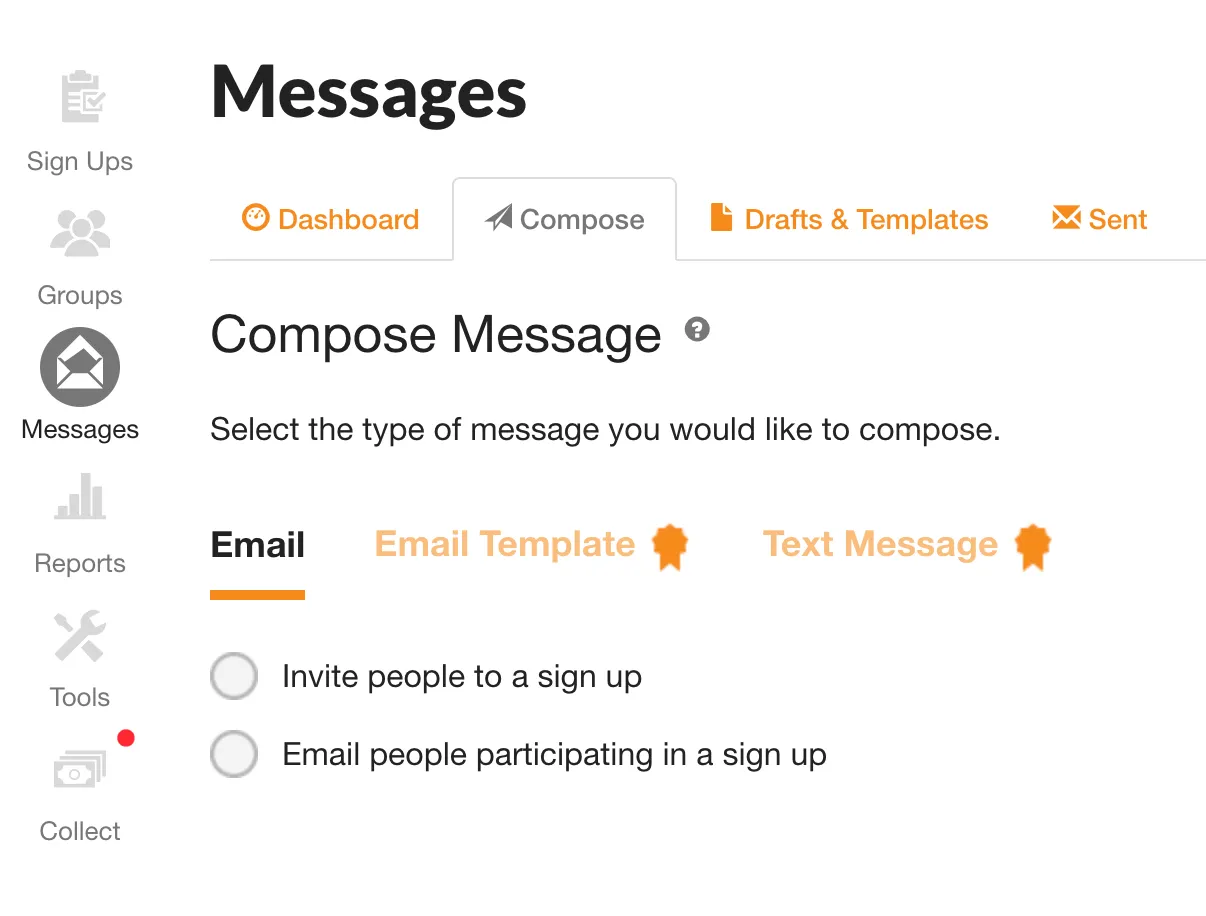
Email is the only built-in channel on every plan. SMS reminders are on paid plans, and only to numbers registered in the US or Canada. There’s no in-app messaging, since volunteers interact with SignUpGenius through the web.
For coordinators who need conversation with their volunteers beyond reminders, that conversation happens in a separate channel: your own email, WhatsApp, or text threads.
What I like about SignUpGenius
- Volunteers don’t need accounts to sign up. They just click the link, pick a slot, and they’re done.
- Themes and templates make signup pages look polished without designer effort.
- Direct payment collection through Stripe for paid events, ticket sales, or donations.
- Massive familiarity. Many of your volunteers have used it before, which lowers the learning curve.
What I don’t like about SignUpGenius
- Ads on the free tier appear on the signup pages your volunteers see. Removing them requires a paid plan.
- Email-only communication means you’ll run a separate channel (text, WhatsApp, your own inbox) for anything beyond reminders.
- No full mobile app. Organisers and volunteers work in the mobile-friendly web; the only app handles payments and ticket scanning.
- Basic reporting. You get signup lists and slot tracking; deeper engagement analysis isn’t included.
SignUpGenius pricing
The Basic plan is free with ads and unlimited signups. Paid plans include ad-free sign ups: 1 on Silver, 10 on Gold, unlimited on Platinum. Multiple administrators start on Gold (10); Platinum has 20. There’s also an Enterprise tier for larger charities and schools that need embedded signups and dedicated support. SignUpGenius publishes those subscription prices in US dollars: Silver US$8.99, Gold US$22.49, Platinum US$44.99 per month billed annually (US$11.99, US$29.99, US$59.99 monthly).
Payments on sign ups cost 5% + US$0.50 per transaction through Stripe, including on the free plan.
Zelos review
Zelos is a signup board with chat built in: an ongoing list of shifts your team claims from, with a conversation attached to each one. It is the only one of the three where coordinators and volunteers can talk inside the tool. It has more structure than SignUpGenius (member profiles, in-app chat, smart targeting) but doesn’t carry the full enterprise overhead of VolunteerHub (no kiosk check-in, no CRM integrations, no background checks).
If your team comes back week after week, this changes the experience. Instead of building a new signup every time, you post the next shift to a workspace your team is already in. They get a push notification. They claim what they want.
Getting started
You create a workspace, post your first few tasks, and invite people via a join link or QR code. Volunteers download the app (iOS or Android) or open the browser app, choose a password, and they’re in.
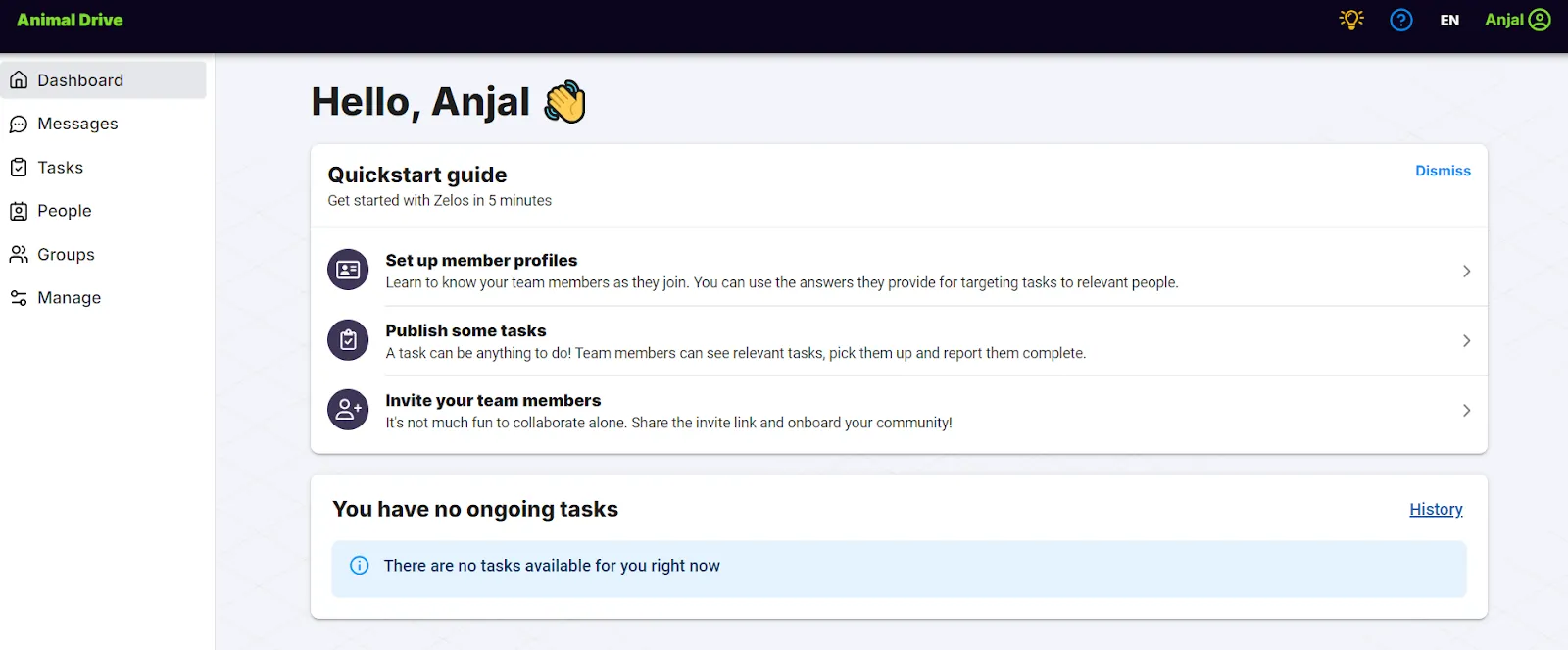
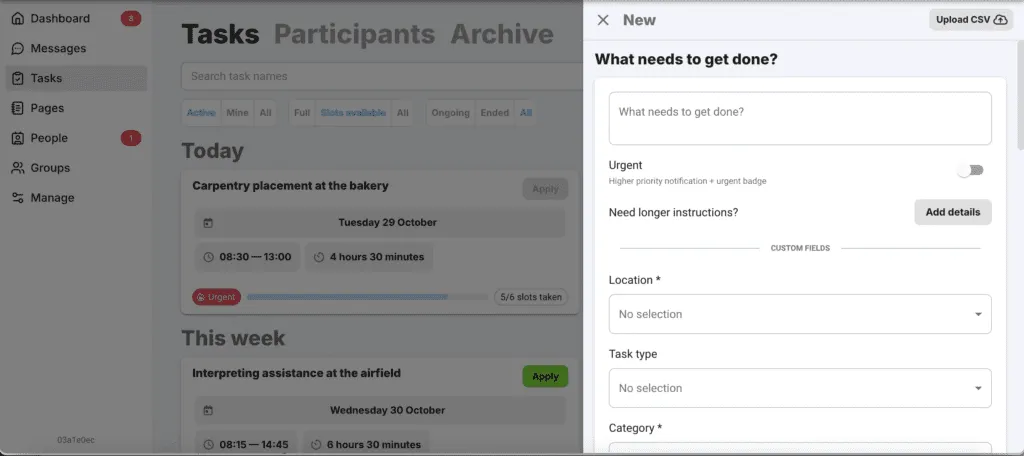
Every task uses the same format: title, description, time, location, capacity, and any custom profile fields you’ve defined for things like skills, location, certifications, or availability. You can add photos and attachments, set deadlines, and choose between open self-signup or an approval queue where you pick from applicants.
Inviting volunteers
A join link or QR code is the main mechanism. Volunteers create a Zelos account (this is the trade-off, since Zelos isn’t anonymous like SignUpGenius) and join your workspace. Workspaces are invite-only, so there’s no public directory exposing your team.
Smart targeting lets you publish a task only to people who match certain criteria, like weekend availability or first aid certified. Tasks that don’t match a volunteer’s profile don’t show up in their list, so there’s less noise to scroll past.
Managing signups
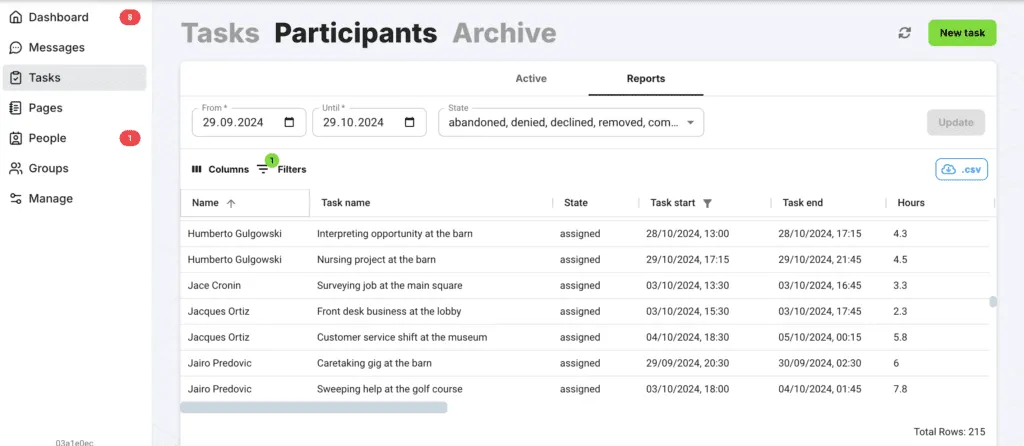
The dashboard shows real-time signup status. You can export tasks and member data to CSV on every plan, including the free one, and reports cover who signed up, who showed up, and planned vs actual hours.
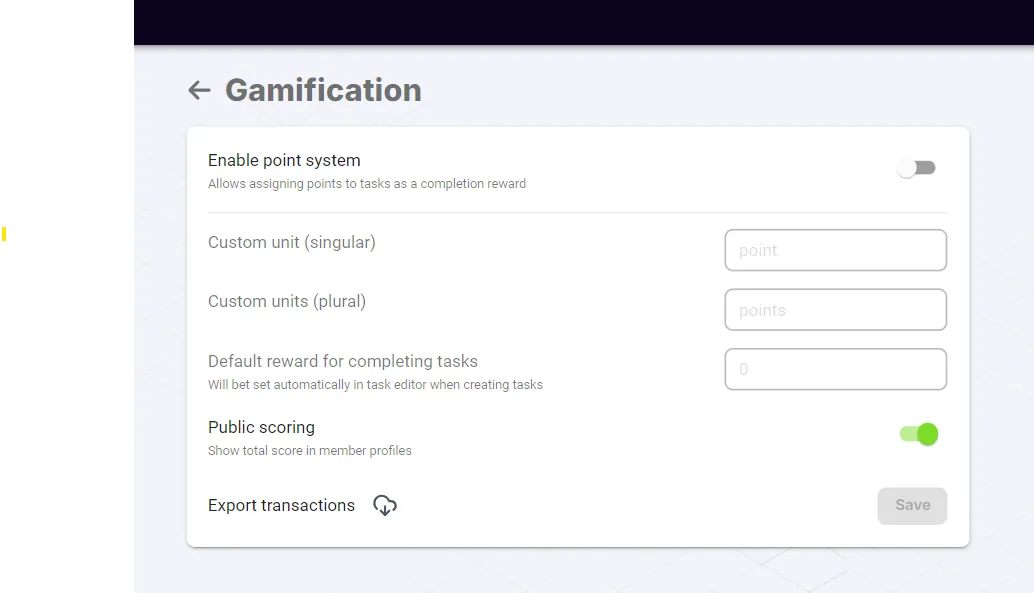
Points and leaderboards are also built in on every plan. Volunteers earn points for completing tasks, and you can run multiple parallel competitions (monthly, by region, by project). It sounds gimmicky until you see it work. Coordinators consistently report it lifts engagement, particularly with younger volunteers.
Communication
This is where Zelos diverges most sharply from the other two. Every task has its own chat channel: the people signed up for that shift, plus admins, in one focused thread. No mixing the Tuesday food bank conversation with the Saturday clean-up conversation. Push notifications mean volunteers see updates instead of buried emails.
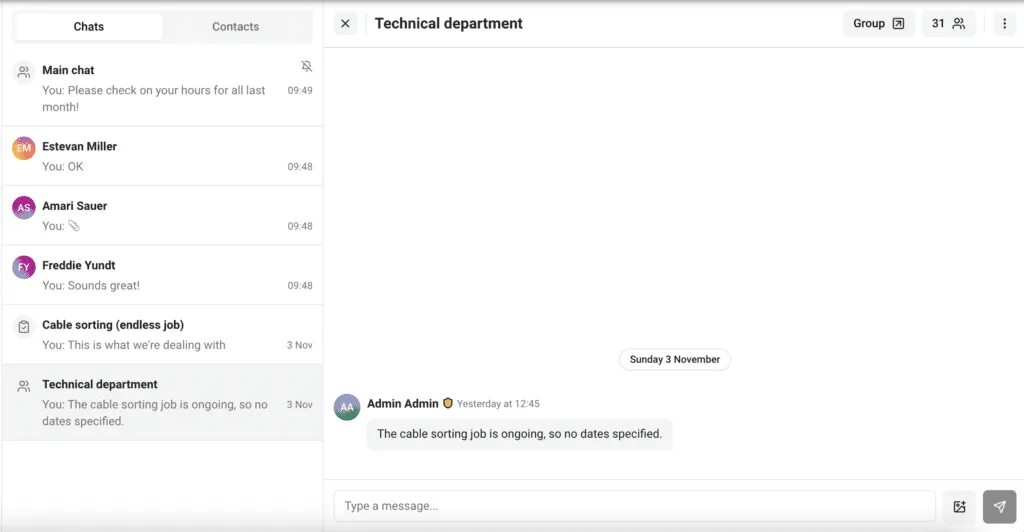
There are also broadcast announcements for organisation-wide news and direct messages between admins and members. Member-to-member private messaging isn’t supported. All conversations include admin oversight by design.
What I like about Zelos
- Task-specific chat keeps conversations relevant and stops the noise that kills bigger group chats.
- Real mobile apps on iOS and Android, free for volunteers, with push notifications.
- No ads on any plan, including the free one.
- GDPR-compliant by default, with no contact-info sharing between members. Built in Estonia, EU.
What I don’t like about Zelos
- Volunteers need accounts to use it. For very occasional volunteers, that’s friction the other two don’t have.
- Not a CRM. There’s no donor management or fundraising side. You’ll need separate tools for that.
- No kiosk check-in, background-check integrations, public recruitment pages, or training modules. Zelos coordinates volunteers you already have, but it doesn’t replace VolunteerHub for in-person facility programmes that need those tools.
- 25 concurrent active tasks on the free plan can feel tight for very busy operations, though the limit applies to concurrent active tasks, not lifetime.
Zelos pricing
The Free plan includes unlimited volunteer accounts, 25 concurrent active tasks, gamification, in-app messaging, and CSV exports, with no expiration and no credit card required. Pro is £79/month billed annually (or £99/month billed monthly) and adds unlimited tasks, CSV bulk upload, custom team URLs, and full chat history. Enterprise starts at £799/month, billed annually, for white-label apps and API access. Launch fees depend on scope.
Pricing is never charged per volunteer or per seat on any plan. Charity and education discounts are available on Pro and Enterprise, by request.
Pricing comparison
The three platforms sit in three different price brackets.
SignUpGenius gives you unlimited signups and email reminders at no cost, with ads on the signup pages your volunteers see. Paid plans start at US$8.99/month billed annually (US$11.99 monthly). Silver includes 1 ad-free sign up, Gold 10, and Platinum unlimited. There’s no volunteer cap on any plan. For a small charity or school running occasional events, the free tier covers most needs and a paid tier is easy to justify.
Zelos sits in the middle. Free for up to 25 concurrent active tasks with unlimited members and no ads. Pro is £79/month billed annually for unlimited tasks. There’s no per-volunteer fee on any plan.
VolunteerHub is the most expensive. Plus starts at US$143/month billed annually plus a setup fee, Pro at US$288/month, Enterprise on request. There’s no free tier or trial. The setup fee and discovery process are part of the model, since VolunteerHub is built for organisations that want a configured system with support rather than self-serve software.
For small or occasional programmes, SignUpGenius is the natural fit on cost. For ongoing teams that need real coordination without enterprise pricing, Zelos sits in the middle. For large charities with thousands of volunteers, CRM integrations, and dedicated programme staff, VolunteerHub’s pricing matches the depth of the platform.
Pricing was last verified in October 2026. Check each platform’s website for current rates.
Which one should you choose?
Think about scale, not features.
If you’re running a small or occasional volunteer programme (school events, church groups, one-off fundraisers, community drives), SignUpGenius is the practical choice. Cheap, familiar to volunteers, and quick to set up. Most of your team has probably used it before, so the learning curve is essentially zero.
If you’re running an ongoing team (weekly food bank shifts, ongoing campaign work, monthly clean-ups, recurring care visits) and the same people come back regularly, Zelos is built for that pattern. Task-specific chat, push notifications, gamification, and a free plan that doesn’t show ads to your volunteers. The account requirement is real friction for one-off use, but it pays off when the same people are coming back.
If you’re running a large charity programme with thousands of volunteers, multiple sites, background-check requirements, kiosk check-in, and CRM integration with your donor database, VolunteerHub is built for that scale. The cost matches the complexity, and the dedicated support is part of what you’re paying for.
If none of these three quite fits, the volunteer management category is broader than this comparison suggests. Better Impact is the most common mid-market alternative, with strong customisation and reporting. Bloomerang Volunteer (formerly InitLive) is built for event-heavy operations. Volgistics is a long-running platform with deeper reporting for organisations that need to track hours and demographics across years. Each is worth a look if your situation doesn’t fit cleanly into the three patterns above. For a wider view, see our comparisons of volunteer signup apps and volunteer management software.
The honest test: are you running occasional events, an ongoing team, or an enterprise programme? Each tool fits one of these patterns cleanly. The answer usually picks the tool for you.
Frequently asked questions
What’s the main difference between VolunteerHub and SignUpGenius?
VolunteerHub is an enterprise volunteer management platform with kiosk check-in, background check integration, CRM sync, and dedicated support, starting at US$143/month plus a setup fee. SignUpGenius is a lightweight signup sheet tool starting free, with paid plans from US$8.99/month billed annually. VolunteerHub covers recruitment, scheduling, check-in, and reporting; SignUpGenius covers the signup form itself.
Does VolunteerHub offer a free trial?
No. VolunteerHub doesn’t have a free tier or a public trial. To evaluate the platform, you request a demo and go through a discovery call, then receive a personalised demo and quote. The discovery process is part of the sales model rather than a barrier you can skip.
Is VolunteerHub worth the price?
It depends on the scale of your programme. For charities managing thousands of volunteers across multiple sites with CRM integration needs, the published US$143–US$288/month pricing is in line with similar enterprise volunteer platforms. For smaller programmes, the cost is harder to justify and lighter tools like SignUpGenius or Zelos may match the actual workload better.
Does SignUpGenius work for large volunteer programmes?
It can handle high signup volumes (there’s no volunteer cap), but it wasn’t designed for enterprise volunteer management. It doesn’t offer kiosk check-in, background check integration, CRM sync, or comprehensive engagement reporting. For organisations needing those tools, VolunteerHub or another enterprise platform is a better match.
What’s a free volunteer management tool without ads?
Zelos has a free plan with no ads, unlimited volunteer accounts, in-app messaging, and gamification, with a limit of 25 concurrent active tasks. SignUpGenius’s free plan is also unlimited but shows ads on the signup pages your volunteers see. VolunteerHub has no free plan.
Can VolunteerHub integrate with Salesforce or Blackbaud?
Yes. VolunteerHub offers CRM integrations with Salesforce, Raiser’s Edge, Blackbaud, eTapestry, and several other charity platforms. The integrations sync volunteer and donor records so contact data stays aligned across systems. Neither SignUpGenius nor Zelos offers comparable CRM integrations as standard.
Which volunteer management software is best for small charities?
For one-off events and occasional signups, SignUpGenius is usually the easiest fit on cost and familiarity. For charities coordinating ongoing teams that come back regularly, Zelos’s free plan covers task posting, in-app chat, and unlimited members without ads. VolunteerHub is built for larger programmes where the price matches the depth of features.

Ready to simplify your team coordination?
Try Zelos free