SignupGenius vs Better Impact vs Zelos: which one should you prefer?
A hands-on comparison of SignUpGenius, Better Impact, and Zelos — three volunteer management tools with very different approaches. Find out which one fits your nonprofit best.
Feature comparison
| Feature | SignUpGenius | Better Impact | Zelos |
|---|---|---|---|
| Free plan | Yes (with ads) | No (30-day trial) | Yes (no ads) |
| Volunteer cap | Unlimited | Tiered by volume | Unlimited |
| Mobile app | ✕ | ✓ | Yes (free) |
| Custom volunteer profiles | Limited | Yes (extensive) | ✓ |
| Background check integration | ✕ | Yes (Growth plan+) | ✕ |
| Volunteer training / LMS | ✕ | Yes (Growth plan+) | ✕ |
| Built-in messaging | Email only | Email + SMS | In-app chat + push |
| Gamification | ✕ | Recognition badges | Yes (points + leaderboards) |
| Data protection compliance | No specific certification | ISO 27001 certified | GDPR by design |
| Pricing model | Self-serve | Contact for quote | Self-serve |
| Starting paid price | $8.99/mo (annual) | Contact for quote | €99/mo (annual) |
| Best for | One-time event signups | Mid-market formal programmes | Ongoing team coordination |
A comparison review by Anjal Gul
If you’re choosing between Better Impact and SignUpGenius, you’re probably arriving from one of two directions: you’ve been running on SignUpGenius and your volunteer programme has outgrown what it can do, or you’re researching Better Impact specifically and want to compare it against the most widely-used signup tool before committing to a more involved platform. Both are common, and both bring most coordinators to the same decision.
These two tools sit at different ends of the volunteer management spectrum. SignUpGenius is a lightweight signup sheet you can spin up in minutes. Better Impact (whose main product is called Volunteer Impact) is a comprehensive volunteer management platform with profiles, training modules, qualification tracking, and reporting that takes weeks to fully configure. So which one wins?
That depends on what your programme actually needs. This article puts both side-by-side on the details that matter, then introduces a third option, Zelos: a newer coordination app built around recurring shifts, in-app chat, and mobile delivery, which sits in the gap between SignUpGenius’s signup sheets and Better Impact’s full platform. By the end you’ll know which one suits your situation, including the cases where none of them are quite right.
Quick verdict
- Choose SignUpGenius for one-off events, school activities, fundraisers, and signups where volunteers don’t return week after week. It’s the most recognised tool in the category, and the free plan covers most basic needs as long as you don’t mind the ads.
- Choose Better Impact if you’re running a formal volunteer programme with training requirements, background checks, certification tracking, and reporting obligations. It’s built for nonprofits in hospitals, schools, parks, and similar regulated environments where volunteer management is a strategic function rather than a logistics task.
- Choose Zelos if you’re coordinating an ongoing team that’s outgrown SignUpGenius but doesn’t need (or can’t justify) Better Impact’s depth and setup time. Recurring shifts, the same people coming back, conversations that need to stay organised.
Better Impact vs SignUpGenius: how they actually differ
Before introducing a third option, here’s the honest head-to-head. SignUpGenius and Better Impact were built for very different jobs, even though both sit in the same broad category. The meaningful differences show up in five places.
Scope of the platform. SignUpGenius is a signup sheet maker. You build forms, share links, volunteers pick slots. Better Impact is a full volunteer management platform with profiles, qualifications tracking, training modules, background check integration, hours tracking, and reporting. For nonprofits running formal volunteer operations with compliance requirements, training needs, or reporting obligations, Better Impact covers ground SignUpGenius doesn’t.
Volunteer profiles. SignUpGenius doesn’t really do volunteer profiles. You build a signup, people fill it in, you have a list. Better Impact treats every volunteer as a profile with custom fields, skills, qualifications, training records, hours history, and document storage. For programmes that need to know who their volunteers are over time (rather than just who’s signed up for a specific shift), this is a meaningful difference.
Pricing transparency. SignUpGenius posts its pricing publicly: free with ads, or $8.99/month billed annually. Better Impact doesn’t post starting prices and works on a contact-for-quote model with pricing based on volunteer count and tier (Foundation for up to 500 volunteers, Growth for up to 1,000, Impact Plan for unlimited). Independent estimates place an Enterprise-tier account with 1,000 volunteers at roughly $315/month billed annually.
Setup time. SignUpGenius takes minutes. Sign up, build a form, share. Better Impact takes weeks. You configure profiles, set up custom fields, define qualifications, import volunteer data, and typically book training sessions with their implementation team. The trade-off is depth: by the end, Better Impact is a configured system that matches your operation rather than a generic form.
Training and compliance. SignUpGenius doesn’t include volunteer training or compliance features. Better Impact includes a built-in LMS with text, video, and quiz-based training modules, background check integration, e-waiver signing, and ISO 27001 certified security. For volunteer programmes in hospitals, schools, or other regulated environments, these are not optional features.
SignUpGenius review
SignUpGenius is the granddaddy of online signup sheets. It’s been around since 2006 and most people in the nonprofit world have used it at least once. Its strength is volume and simplicity: you can spin up a signup in minutes, share a link, and start collecting commitments without anyone needing to install anything.
Getting started
Account creation is fast. You land in a familiar form-builder interface and pick one of four scheduling formats (date-based, slot-based, slots-only, or single-date RSVP). Fill in the details, pick a theme from the design library, and publish.
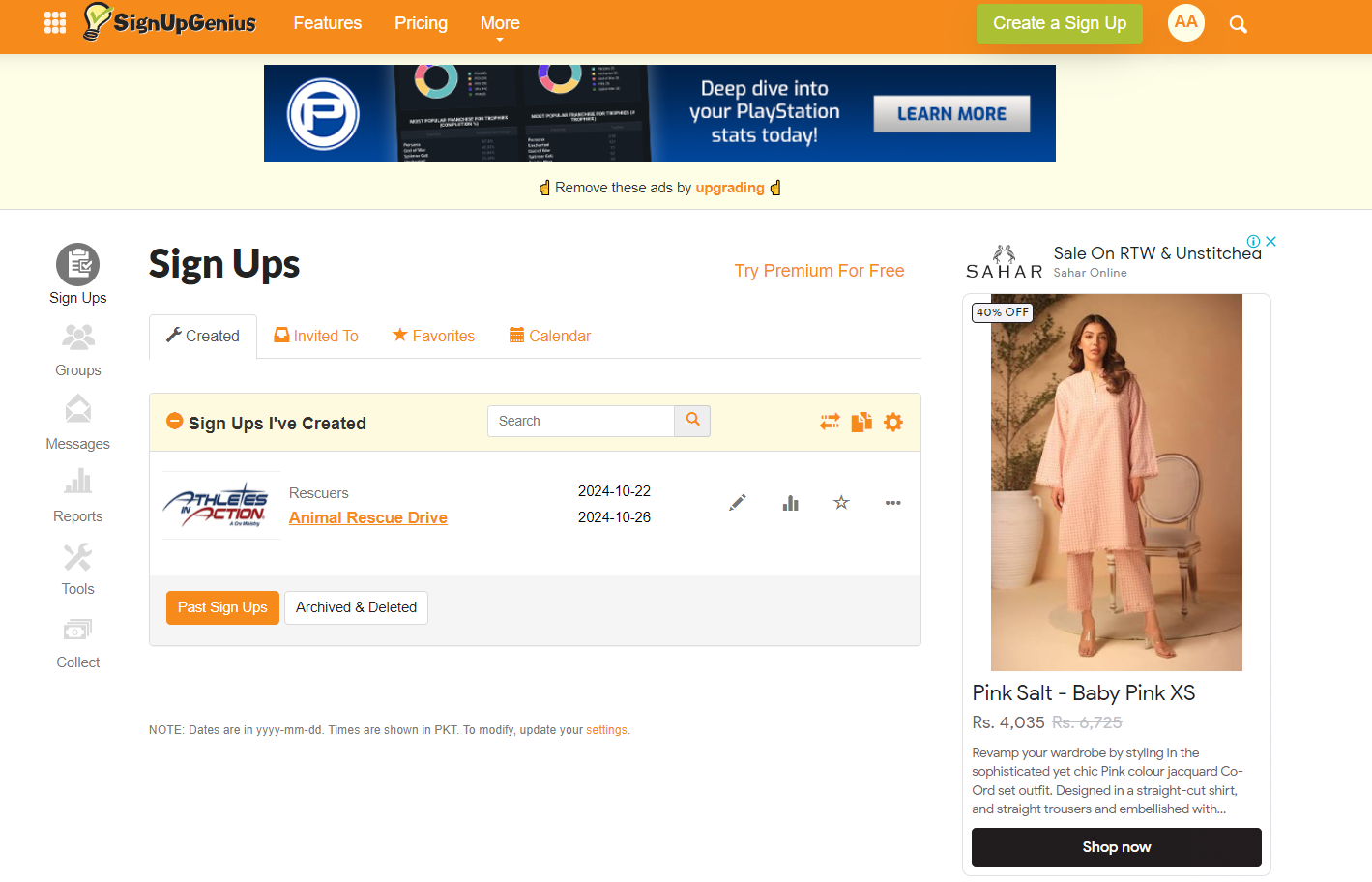
The whole setup feels closer to building a Google Form than configuring software. That’s by design, and it’s what keeps SignUpGenius approachable for someone who only runs a signup twice a year.
Inviting volunteers
You share a link. That’s the main mechanism. Email it, post it on social media, embed it on your website. On paid plans you can also build a Group page (a hub with multiple signups under your branding).
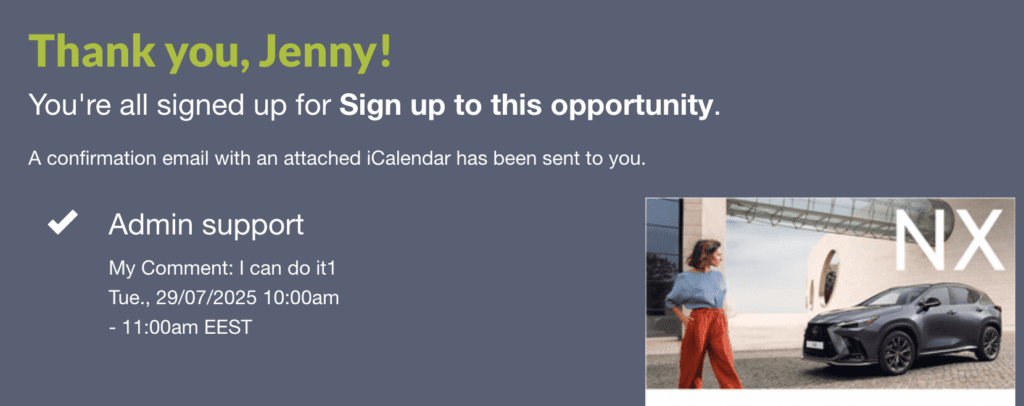
Volunteers click through, pick a slot, fill in their details, and that’s it. No account required to sign up, which removes one of the most common reasons people abandon a registration. They will need an account if they want to edit their commitment later.
Managing signups
The dashboard shows real-time slot availability. You can send reminder emails, send thank-you notes, and run basic reports on who signed up for what. Premium plans add waitlists, signup locking, custom branding, and recurring signups.
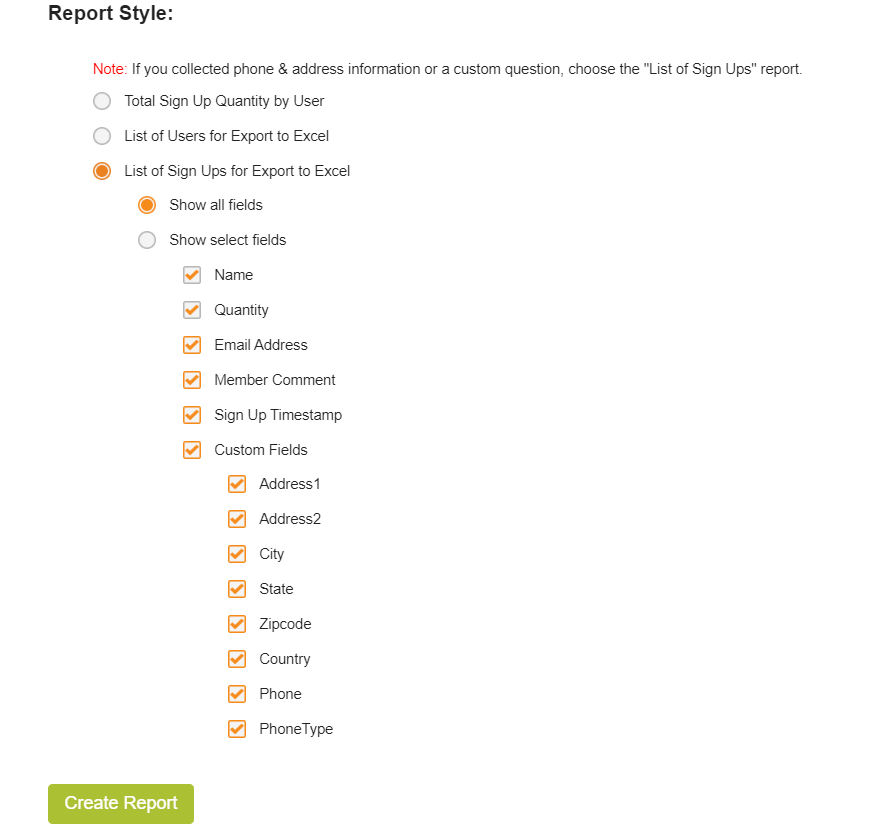
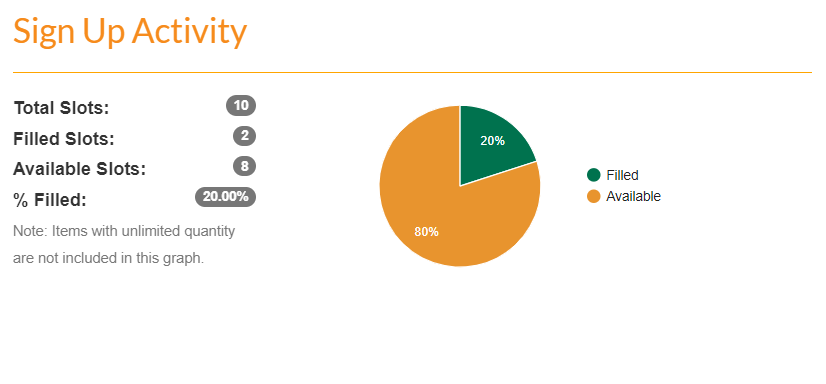 The reporting is set up for basic accounting. It doesn’t include engagement patterns or volunteer history across multiple events, so for cross-event analysis you’d export to a spreadsheet.
Communication
Email is the only built-in channel on every plan. SMS reminders are available on higher paid tiers, but only in the US, Canada, and Australia. There’s no in-app messaging, since volunteers interact with SignUpGenius through the web.
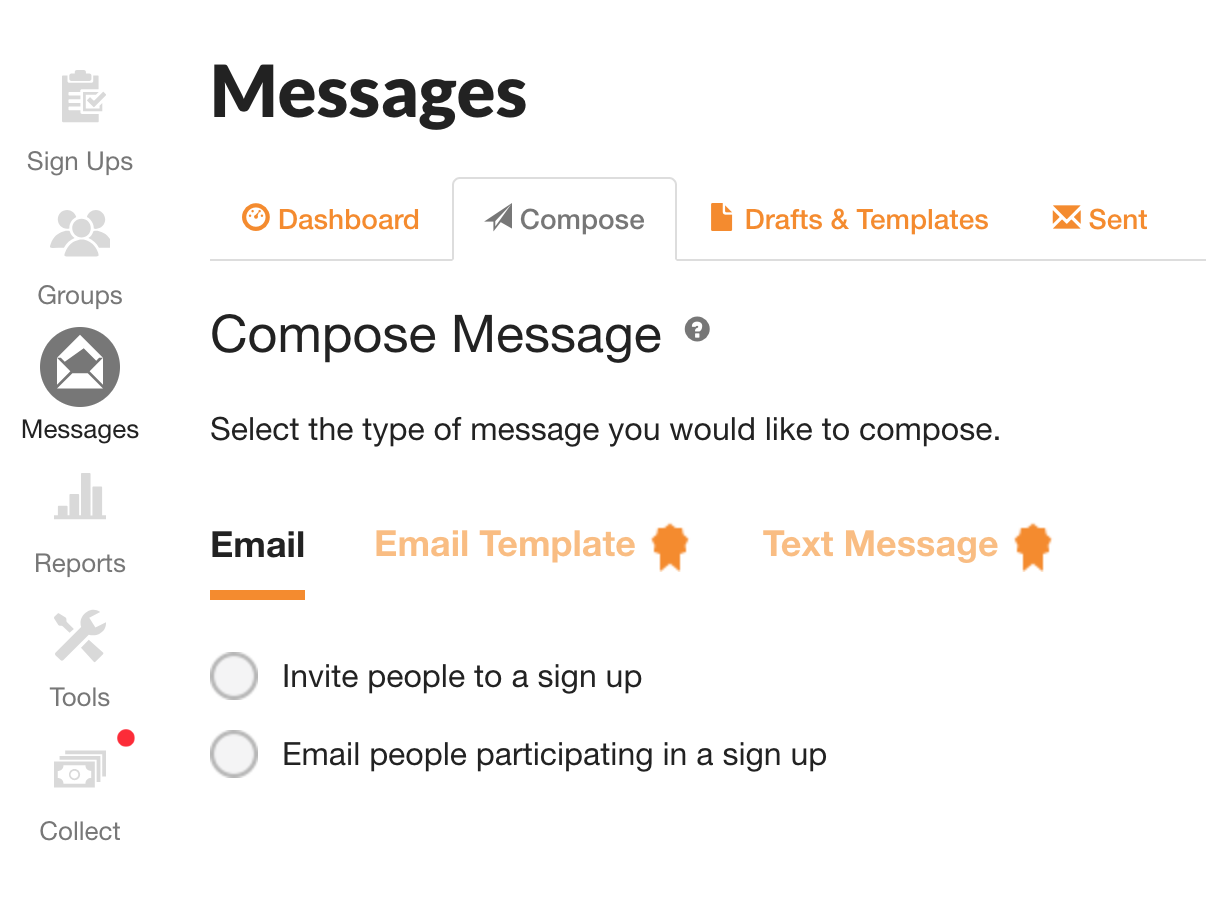 For coordinators who need conversation with their volunteers beyond reminders, that conversation happens in a separate channel: your own email, WhatsApp, or text threads.
What I like about SignUpGenius
- Volunteers don’t need accounts to sign up. They just click the link, pick a slot, and they’re done.
- Themes and templates make signup pages look polished without designer effort.
- Direct payment collection through Stripe for paid events, ticket sales, or donations (5% + $0.50 per transaction).
- Massive familiarity. Many of your volunteers have used it before, which lowers the learning curve.
What I don’t like about SignUpGenius
- Ads on the free tier appear on the signup pages your volunteers see. Removing them requires a paid plan.
- Email-only communication means you’ll run a separate channel (text, WhatsApp, your own inbox) for anything beyond reminders.
- No mobile app for organisers or volunteers. Everything happens in the browser.
- Basic reporting. You get signup lists and slot tracking; deeper volunteer history and engagement analysis isn’t included.
SignUpGenius pricing
The Basic plan is free with ads and unlimited signups. Premium plans start at $8.99/month billed annually or $11.99/month monthly, which removes the ads, unlocks custom branding, adds multiple admins, and increases email and SMS limits. There’s also an Enterprise tier for larger nonprofits and schools that need embedded signups and dedicated support.
Payment processing (for signups that collect money) is 5% + $0.50 per transaction through SignUpGenius Payments.
Better Impact review
Better Impact has been around since 2000 and is one of the most established mid-market volunteer management platforms. Its main software product, Volunteer Impact, sits at the more comprehensive end of the spectrum: where SignUpGenius is a form builder, Better Impact is a full system for managing volunteer profiles, qualifications, training, scheduling, and reporting over time.
Getting started
Setup reflects the depth of the platform. Account creation is fast, but configuring it for your operation takes time. After signing on, you typically book a consultation with an Implementation Advisor who walks you through profile configuration, custom fields, qualifications, training modules, and reporting setup. Most organisations are running within two to four weeks, depending on complexity.
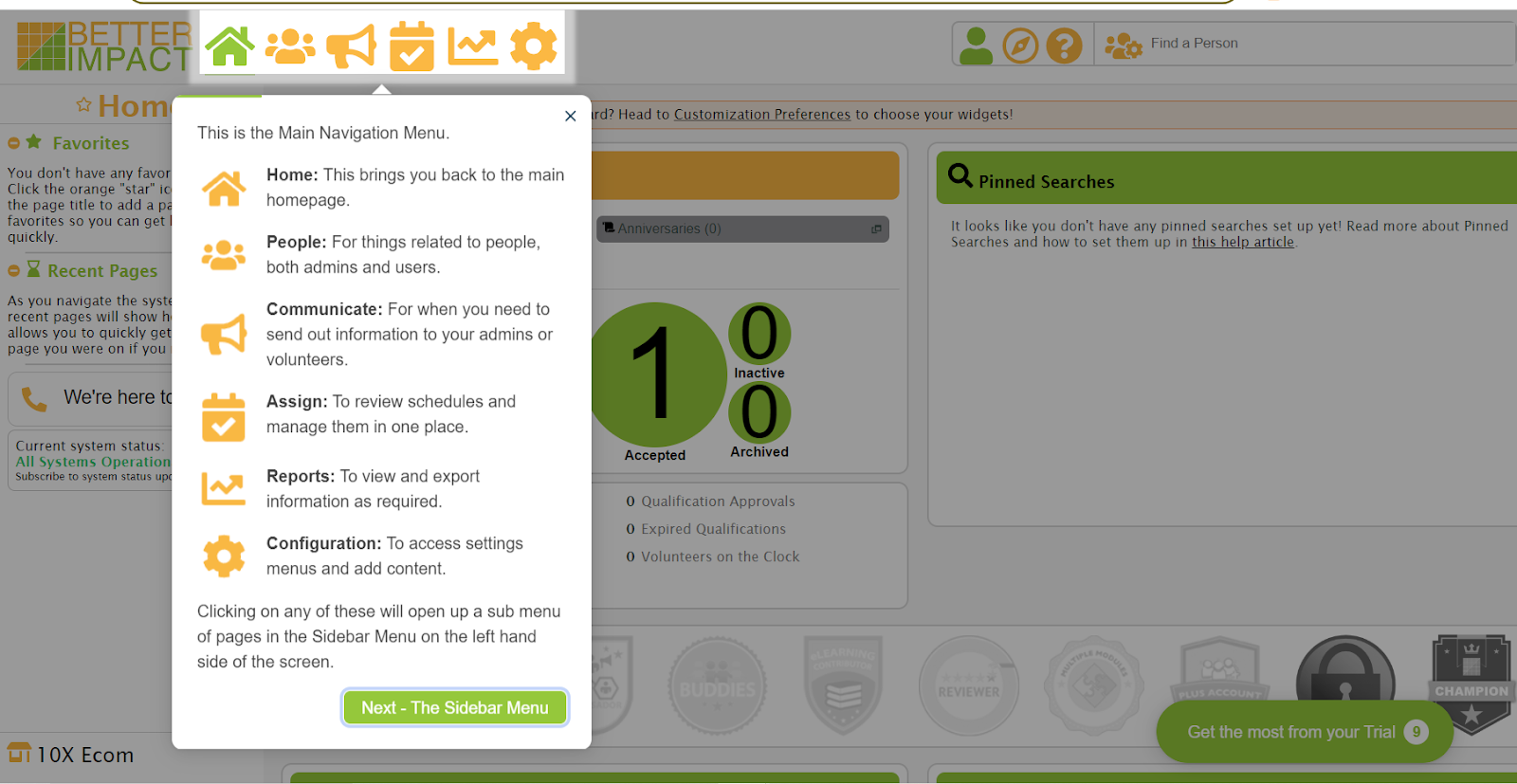
The dashboard organises main features as icons in the top-left. You can see active volunteers, signups for tasks, and administrators at a glance. The interface is functional rather than slick; long-time users find it familiar, newer users sometimes find the learning curve steep.
Inviting volunteers
You set up online application forms with custom fields and qualifications that volunteers fill in directly. Once accepted, they have profiles you (or they) can edit, with documents, skills, certifications, hours history, and contact info in one place. Volunteers access their own portal to manage schedules, upload qualifications, and view documents.
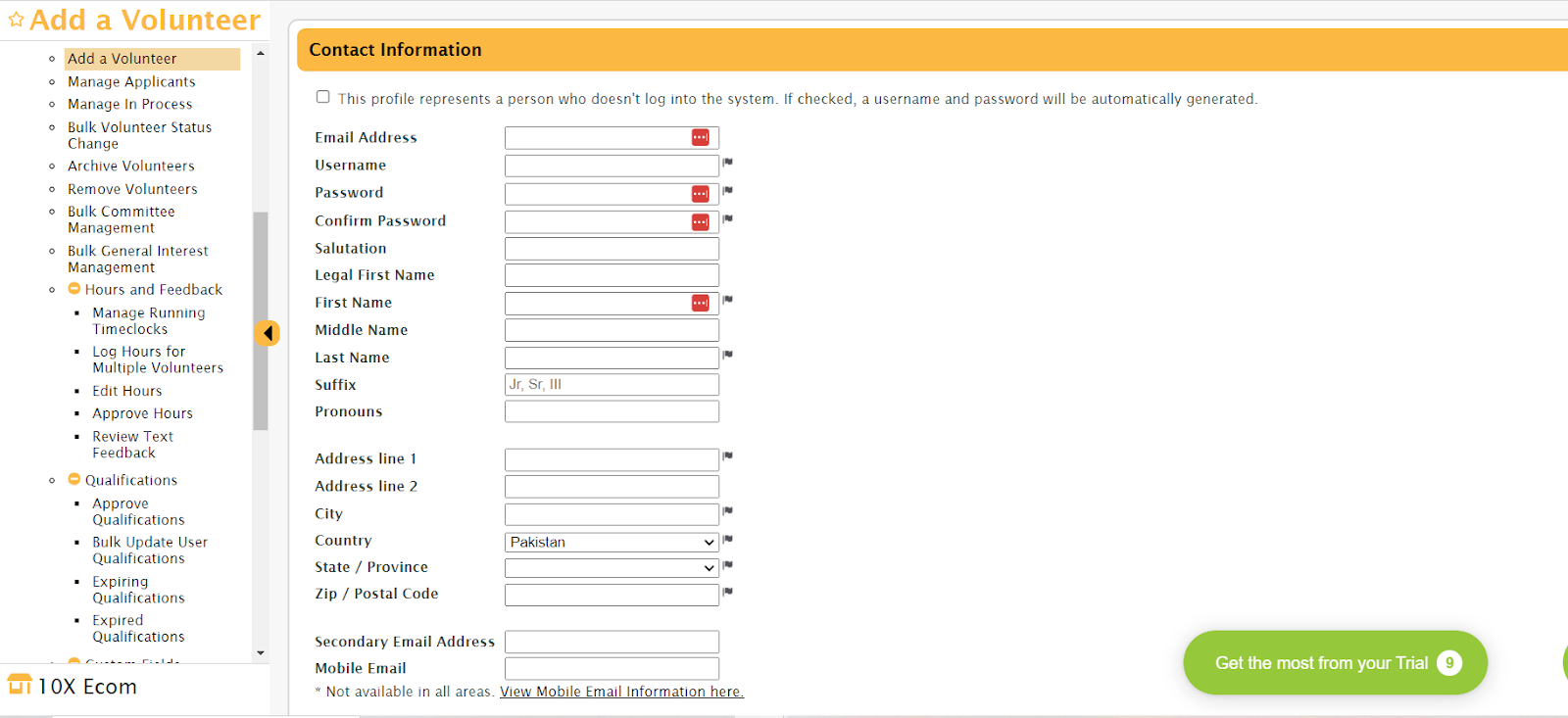 You assign tasks directly to volunteer profiles rather than offering a public signup page. This is the design trade-off of Better Impact: more control and skills-based matching, less open-signup flexibility. Volunteers see opportunities matched to their qualifications, but they don’t browse a public list the way they would on SignUpGenius.
Managing signups
Better Impact’s tracking covers volunteer history, hours (planned vs actual), skill sets, certifications, training completion, and onboarding status. Reports filter by volunteer, task, date range, or any custom field you’ve configured. Volunteers can also access their own progress reports, which is useful for school credit, resumes, or personal records.
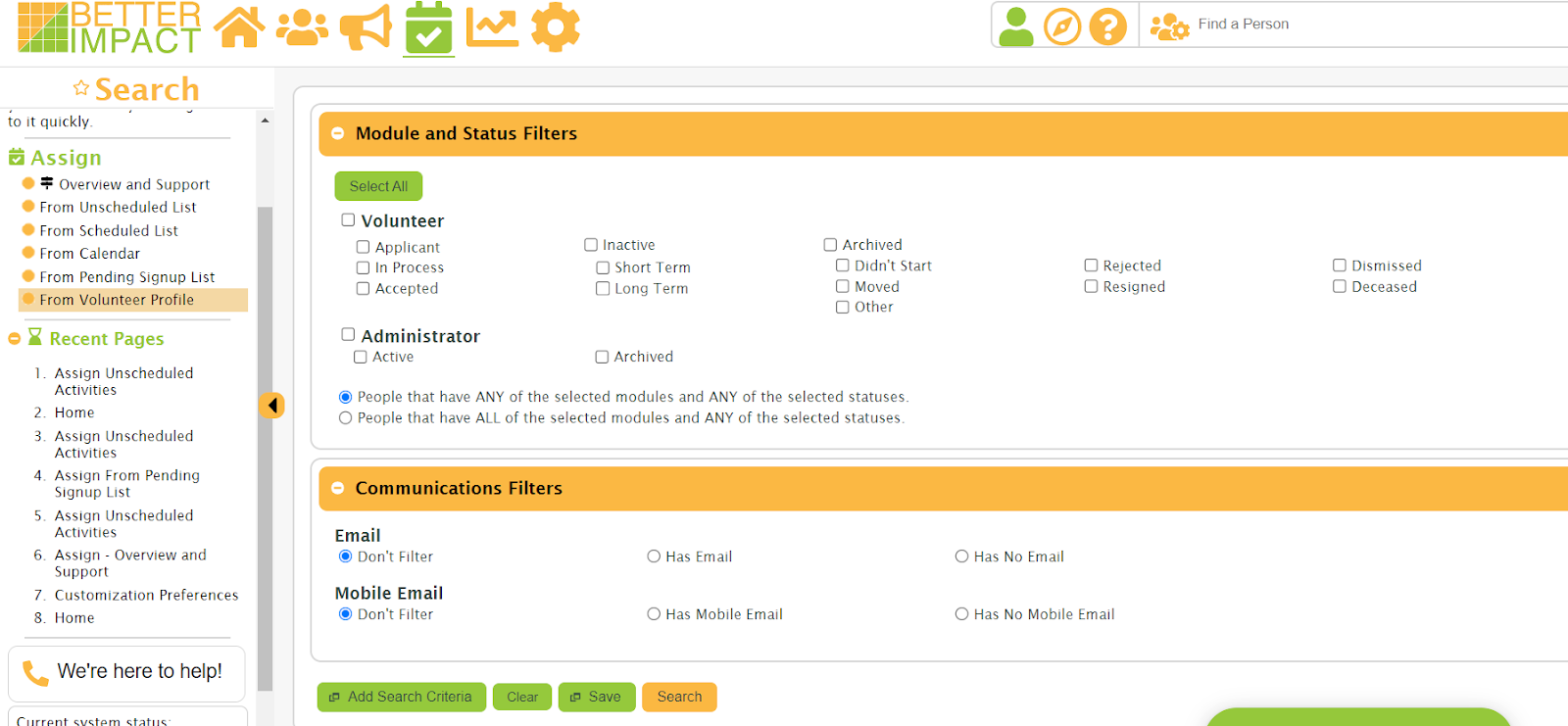 Recognition badges are available from the Growth plan upward, awarded for milestones and service hours. These provide formal recognition for active volunteers, though the system stops short of the full gamification with points and leaderboards that Zelos offers; SignUpGenius doesn’t include engagement tooling of any kind.
Communication
Better Impact includes email and SMS messaging on Growth and Impact Plan tiers, with templates for common communications like shift reminders, thank-you notes, and birthday greetings. You can send mass communications or individual messages, with mailing labels and export options for personalised outreach.
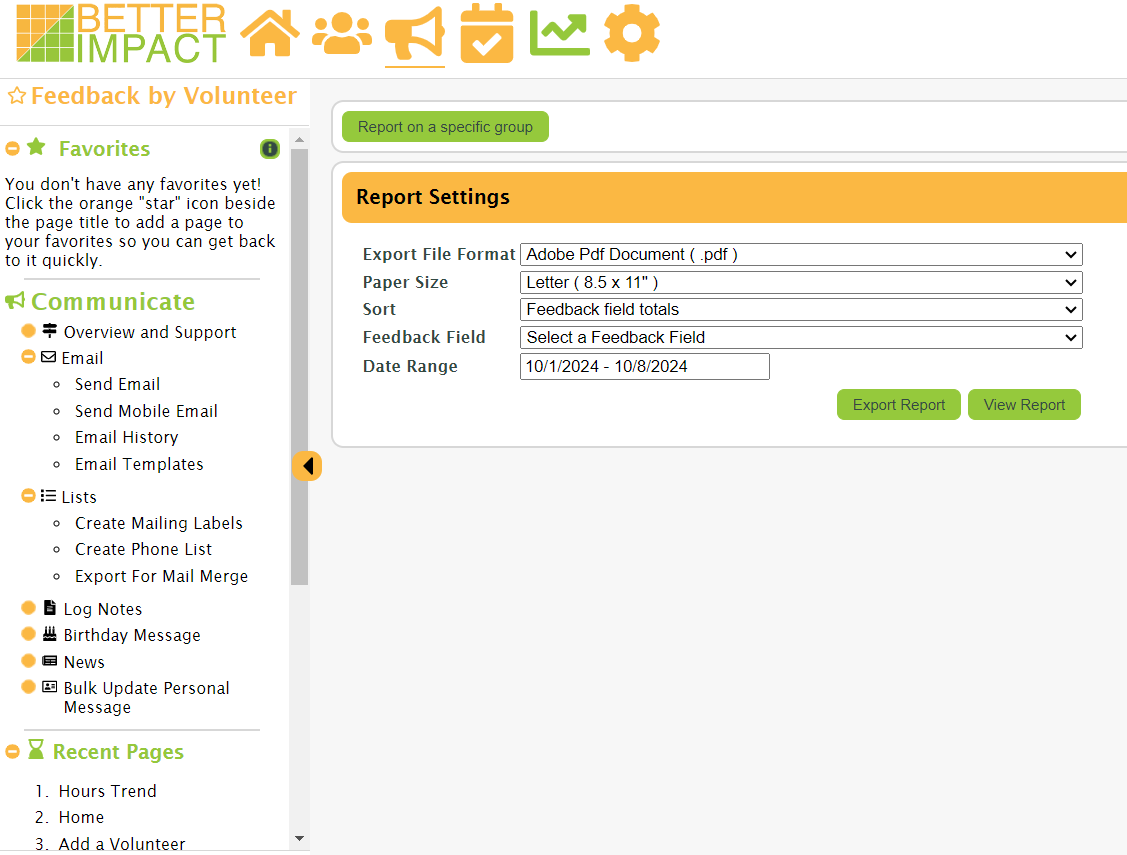
There’s no in-app chat or real-time conversation. Messaging is one-directional from admins to volunteers, and replies arrive in your regular email inbox rather than threading inside the platform.
What I like about Better Impact
- Comprehensive volunteer profiles with custom fields, qualifications, training records, hours history, and document storage in one place.
- Built-in LMS and training modules from the Growth plan up, with text, video, and quiz-based content and completion tracking.
- ISO 27001 certified security with background check integration and e-waiver signing, suitable for regulated environments like hospitals and schools.
- Volunteer self-management portal where members upload qualifications and edit their own data, reducing admin workload.
What I don’t like about Better Impact
- No public pricing. You request a quote based on volunteer count and tier, which makes upfront comparison harder than with self-serve tools.
- Setup takes weeks, not minutes. The depth has a real time cost upfront before the platform starts paying off.
- No public open signup page in standard configuration. Volunteers are added through application forms tied to profiles rather than open self-signup.
- Recognition badges only, no full gamification. For programmes that want points and leaderboards, this is lighter than what Zelos offers.
Better Impact pricing
Better Impact offers three tiers for Volunteer Impact: Foundation for up to 500 active volunteers (3 admins, basic features), Growth for up to 1,000 active volunteers (10 admins, training modules, automated reminders, recognition badges), and Impact Plan for unlimited volunteers (unlimited admins, multi-location management, API access).
Pricing isn’t posted publicly; you contact Better Impact for a quote based on your volunteer count and tier. Independent estimates put an Enterprise-tier account with 1,000 volunteers at roughly $315/month billed annually, with smaller organisations on the Foundation tier paying less. A 30-day free trial is available before commitment.
Zelos review
Zelos sits between SignUpGenius and Better Impact in scope. It has more structure than SignUpGenius (member profiles, in-app chat, smart targeting, gamification) but doesn’t carry Better Impact’s full mid-market overhead (no LMS, no background check integration, no ISO 27001 certification, no implementation services).
If your team comes back week after week, this changes the experience. Instead of building a new signup every time, you post the next shift to a workspace your team is already in. They get a push notification. They claim what they want.
Getting started
You create a workspace, post your first few tasks, and invite people via a join link or QR code. Volunteers download the app (iOS or Android) or open the browser app, choose a password, and they’re in.
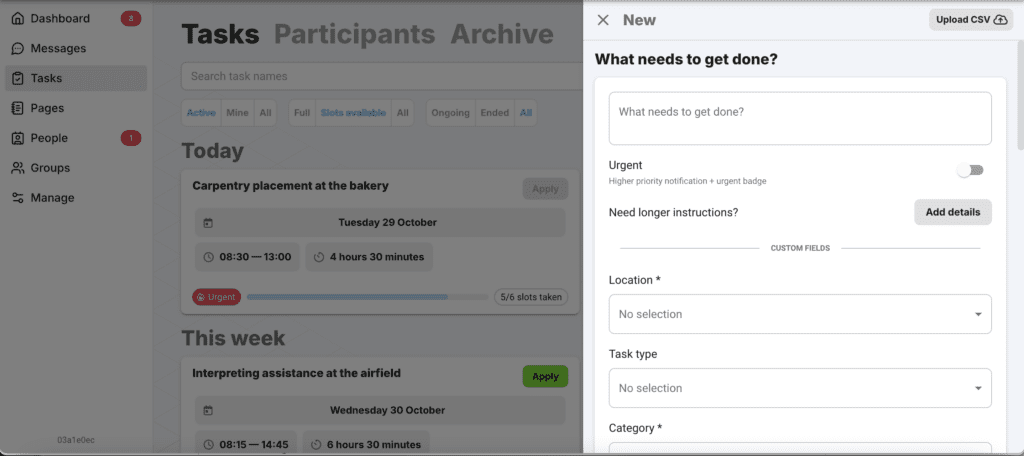
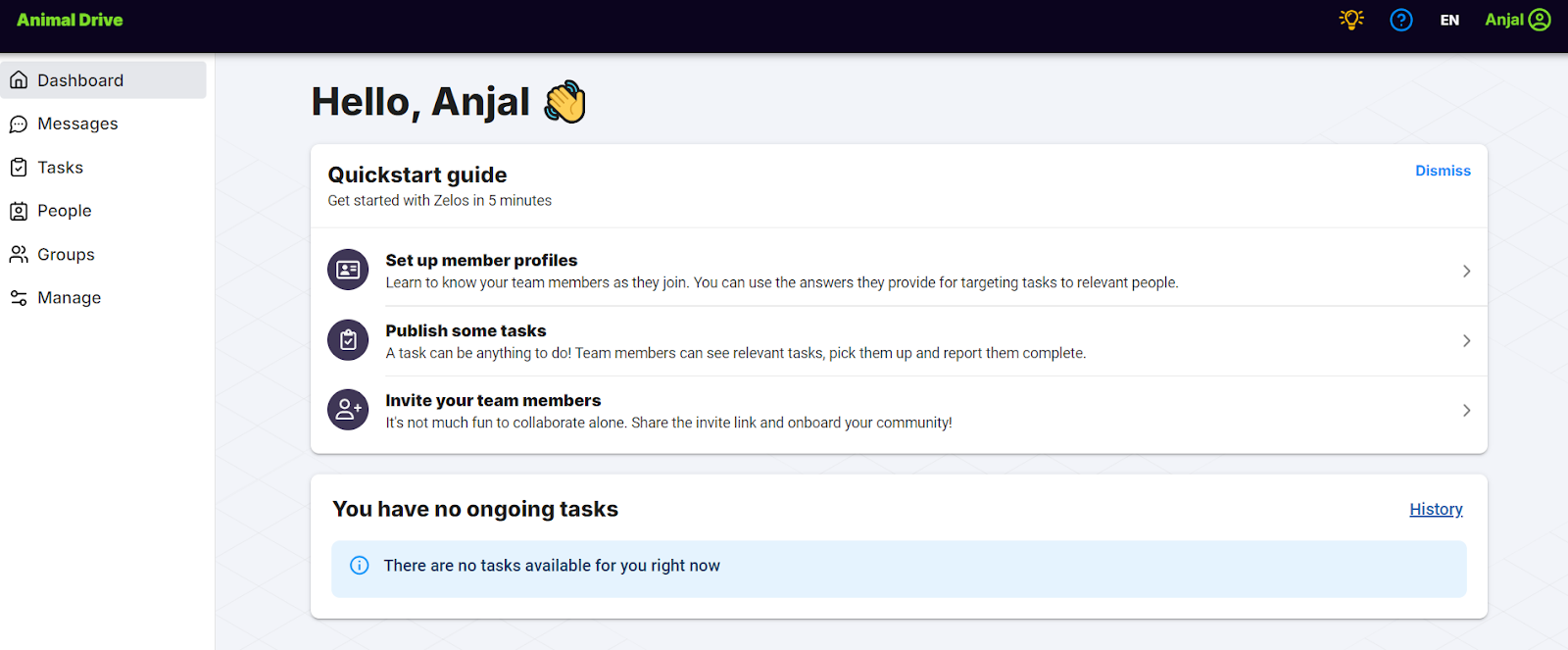 Every task uses the same format: title, description, time, location, capacity, and any custom profile fields you’ve defined for things like skills, location, certifications, or availability. You can add photos and attachments, set deadlines, and choose between open self-signup or an approval queue where you pick from applicants.
Inviting volunteers
A join link or QR code is the main mechanism. Volunteers create a Zelos account (this is the trade-off, since Zelos isn’t anonymous like SignUpGenius) and join your workspace. Workspaces are invite-only, so there’s no public directory exposing your team.
Smart targeting lets you publish a task only to people who match certain criteria, like weekend availability or first aid certified. Tasks that don’t match a volunteer’s profile don’t show up in their list, so there’s less noise to scroll past.
Managing signups
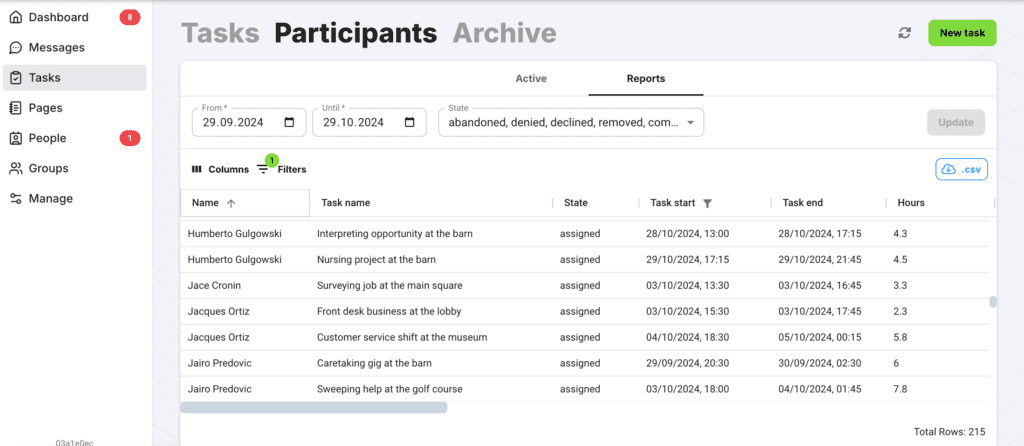
The dashboard shows real-time signup status. You can export tasks and member data to CSV on every plan, including the free one, and reports cover who signed up, who showed up, and planned vs actual hours.
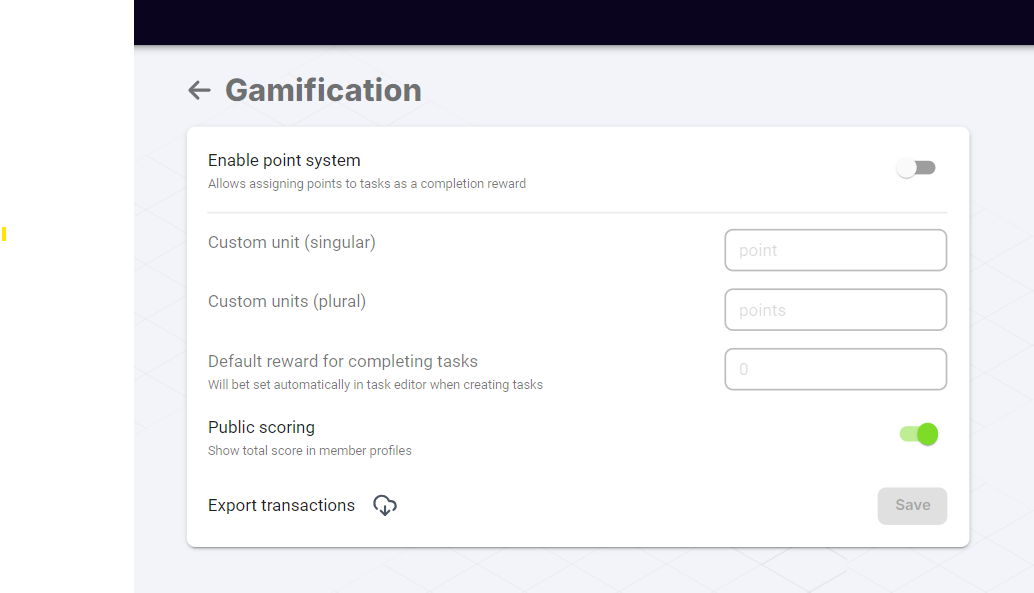
 Points and leaderboards are also built in on every plan. Volunteers earn points for completing tasks, and you can run multiple parallel competitions (monthly, by region, by project). This is full gamification rather than just recognition badges, and coordinators consistently report it lifts engagement, particularly with younger volunteers.
Communication
This is where Zelos diverges most sharply from the other two. Every task has its own chat channel: the people signed up for that shift, plus admins, in one focused thread. No mixing the Tuesday food bank conversation with the Saturday cleanup conversation. Push notifications mean volunteers see updates instead of buried emails.
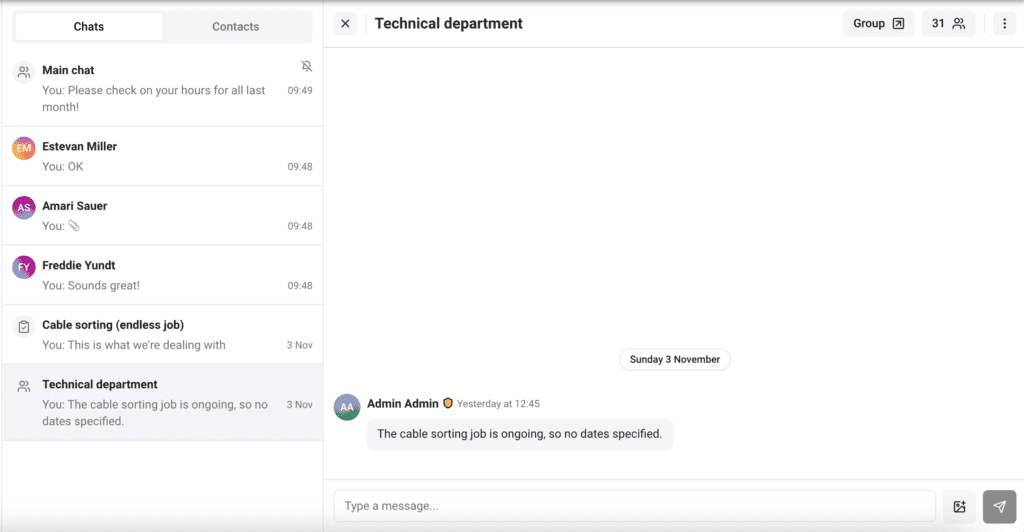
There are also broadcast announcements for organisation-wide news and direct messages between admins and members. Member-to-member private messaging isn’t supported. All conversations include admin oversight by design.
What I like about Zelos
- Task-specific chat keeps conversations relevant and stops the noise that kills bigger group chats.
- Real mobile apps on iOS and Android, free for volunteers, with push notifications.
- No ads on any plan, including the free one.
- GDPR-compliant by default, with no contact-info sharing between members. Built in Estonia, EU.
What I don’t like about Zelos
- Volunteers need accounts to use it. For very occasional volunteers, that’s friction the other two don’t have.
- No built-in LMS or training modules. If your programme requires volunteer training and certifications, Better Impact handles that natively while Zelos doesn’t.
- No background check integration. Programmes in regulated environments will need a separate workflow for vetting.
- 25 active tasks on the free plan can feel tight for very busy operations, though the limit applies to concurrent active tasks, not lifetime.
Zelos pricing
The Free plan includes unlimited volunteer accounts, 25 concurrent active tasks, gamification, in-app messaging, and CSV exports, with no expiration and no credit card required. Pro is €99/month billed annually (or €119/month monthly) and adds unlimited tasks, CSV bulk upload, custom team URLs, and full chat history. Enterprise starts at €999/month for white-label apps and API access.
Pricing is never charged per volunteer or per seat on any plan. Nonprofit and education discounts are available on Pro and Enterprise.
Pricing comparison
The three platforms sit in different price brackets and use different pricing models.
SignUpGenius is the cheapest and most transparent. Free with ads, or $8.99/month billed annually ($11.99 monthly) to remove ads and add features. There’s no volunteer cap on any plan, and monthly billing makes it easy to pay only during busy seasons.
Zelos sits in the middle. Free for up to 25 concurrent active tasks with unlimited members and no ads. Pro is €99/month billed annually for unlimited tasks. There’s no per-volunteer fee on any plan, which matters once your team grows past 50 active people.
Better Impact is the most expensive and least transparent. There’s no free plan and no public pricing; you request a quote based on volunteer count and tier. Foundation, Growth, and Impact Plan tiers scale up by volunteer cap and feature access. Sample pricing for 1,000 volunteers in an Enterprise configuration runs around $315/month billed annually, but the actual number you’ll pay depends on your tier, volume, and any add-ons. A 30-day free trial is available before commitment.
For small or occasional programmes, SignUpGenius is the natural fit on cost. For ongoing teams that need coordination without enterprise depth, Zelos sits in the middle. For formal volunteer programmes with training, certifications, and compliance requirements, Better Impact’s pricing matches the depth of the platform.
Pricing was last verified in May 2026. Check each platform’s website for current rates.
Which one should you choose?
Think about how much volunteer management your operation actually needs.
If you’re running simple signups for occasional events (school activities, church groups, one-off fundraisers, community drives), SignUpGenius covers the basics affordably. Most of your volunteers have likely used it before. Setup takes minutes, and the free plan covers a lot if you can live with the ads.
If you’re running an ongoing team where the same people come back regularly (weekly food bank shifts, monthly cleanups, recurring care visits), Zelos is built for that pattern. Task-specific chat, push notifications, gamification, and a free plan that doesn’t show ads to your volunteers. The account requirement is real friction for one-off use but pays off when the same people come back.
If you’re running a formal volunteer programme with training requirements, qualifications tracking, background checks, and reporting obligations (typically in hospitals, schools, parks, museums, or larger nonprofits), Better Impact is built for that scale. The setup time and price reflect what you’re getting: a configured system that handles the full volunteer lifecycle rather than a generic form.
If none of these three quite fits, the volunteer management category is broader than this comparison suggests. VolunteerHub is a direct Better Impact competitor with kiosk check-in and CRM integrations. Volgistics is a long-running platform with deeper hours tracking and demographic reporting. Bloomerang Volunteer (formerly InitLive) is built for event-heavy programmes. Each is worth a look if your situation doesn’t fit cleanly into the three patterns above.
The honest test: are you running occasional events, an ongoing team, or a formal programme with compliance needs? Each tool fits one of these patterns cleanly. The answer usually picks the tool for you.
Frequently asked questions
What’s the main difference between Better Impact and SignUpGenius?
Better Impact is a comprehensive volunteer management platform with custom profiles, training modules, qualification tracking, background check integration, and reporting, with pricing on a contact-for-quote model (sample pricing around $315/month for 1,000 volunteers). SignUpGenius is a lightweight signup sheet tool starting free or $8.99/month annual. Better Impact covers the full volunteer lifecycle from recruitment to reporting; SignUpGenius covers the signup form itself.
Does Better Impact offer a free trial?
Yes. Better Impact offers a 30-day free trial of Volunteer Impact with no credit card required. You can explore the platform before committing, though pricing details still require a sales conversation with their team.
Is Better Impact worth the price?
It depends on your programme. For nonprofits, hospitals, schools, or parks running formal volunteer operations with training, certifications, background checks, and reporting requirements, the platform delivers tools that lighter signup tools don’t have. For smaller organisations running occasional events, the setup time and price are harder to justify and SignUpGenius or Zelos may match the actual workload better.
Does SignUpGenius work for serious volunteer programmes?
It can handle high signup volumes (there’s no volunteer cap), but it wasn’t designed for comprehensive volunteer management. It doesn’t offer custom volunteer profiles, training modules, certifications tracking, background check integration, or detailed engagement reporting. For programmes requiring these tools, Better Impact, VolunteerHub, or another platform-style tool is a better match.
Which is easier to set up: Better Impact or SignUpGenius?
SignUpGenius is dramatically faster. You can create your first signup in under ten minutes with no training. Better Impact typically takes two to four weeks of configuration with implementation support, though the result is a system tailored to your operation rather than a generic form.
What’s a free volunteer management tool without ads?
Zelos has a free plan with no ads, unlimited volunteer accounts, in-app messaging, and gamification, with a limit of 25 concurrent active tasks. SignUpGenius’s free plan also shows ads on the signup pages your volunteers see. Better Impact has no free plan, but offers a 30-day trial.
Does Better Impact include volunteer training modules?
Yes, from the Growth plan upward. Better Impact’s LMS supports text, video, and quiz-based training modules with completion tracking, certificates, and integration into volunteer profiles. Training and certifications are tracked alongside hours and qualifications. Neither SignUpGenius nor Zelos offers comparable training tools.